

Avoid cross platform app design mistakes by knowing more about these distinct Android elements – Part 2

Last week (https://www.goodworklabs.com/avoid-cross-platform-app-design-mistakes-by-knowing-more-about-these-distinct-android-elements-part-1/) we had an interesting look at how the spurt in demand for Android operating system has spawned a whole new generation of developers seeking to gain expertise in this challenging yet captivating domain. We continued by looking at how developers tend to re-use iOS app design elements in Android app design and how the common design element unique to Android need to be considered in order to provide an enriching user experience to Android app users.
cross platform image

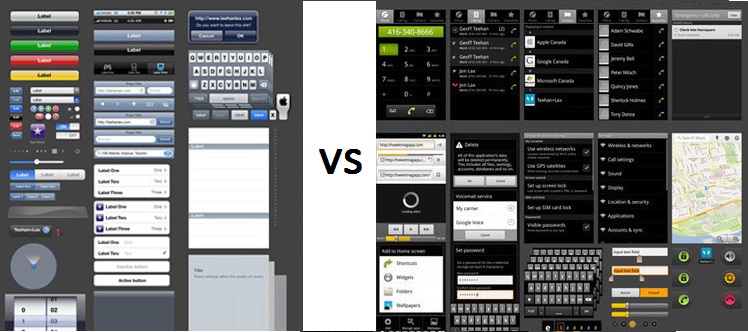
Some of the common design elements that are found only in Android ecosystem and not in the same form in iOS will include

  1. Distinct back navigation
  2. Spinner choice selection element
  3. Tab navigation
  4. Flexibility in screen size

While we covered point1 in our earlier blog (https://www.goodworklabs.com/avoid-cross-platform-app-design-mistakes-by-knowing-more-about-these-distinct-android-elements-part-1/), we will now continue with other Android-specific design elements that developers need to be careful while porting iOS design elements to Android –

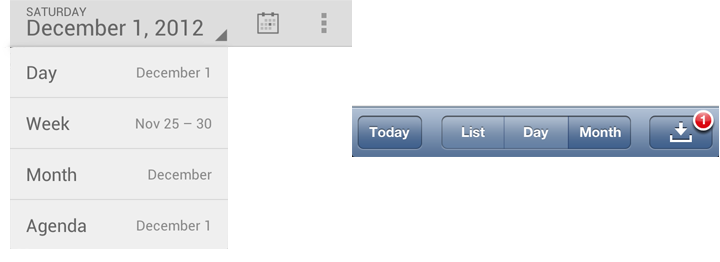
2. Spinners – In Android, selection out of multiple options is enabled by the spinner element. They are extremely easy and versatile to use, and can be used across a multitude of functionalities within an app. One common usage is for data selection in form. For instance if you’re looking to fill up ‘State’ information is US, you might be presented with a spinner that reads a list starting from ‘Alabama’ and ending with ‘Wyoming’. Of these states, you can select one that pertains to your details. In iOS, this is taken care of by iOS action sheet. An example is the calendar that shows different design for Android and iOS.
Spinners

3. Tab navigation – The key difference between iOS and Android in tab navigation is the placement. While iOS recommends placing it at the bottom of the page, Android suggests keeping the tabs at the top. Remember the different tabs that come up in Google Play Store – ‘Top Free’, Top Paid’ or ‘Featured’? These are the tabs placed on top in Android that allows relevant navigation.

4. Screen size – Since iOS develops apps only for Apple devices, the screen sizes are pretty much standardized (though the advent of iPhone 6 and iPhone 6 Plus, change just change all that in Apple). Thus, when using iOS elements, developers need to ensure that they also work on a mind-boggling variety of Android device screen sizes – from 3.5 inch to 7 inch. This huge fragmentation of screen size and device capability brings is own set of design challenges. Android developers need to ensure that their designs are fluid and supple to suit all screen sizes on Android.

Our take on this – Of course development costs do matter, but it should never be at the expense of UI/UX needs of the Android user. When it comes to deriving top class user experience, it is not an option but rather a necessity. Android itself has a great user experience to offer, and extracting the maximum from these unique Android-only elements/functionalities is a good way to enable this. Let us know if you know of any other element that is singularly unique to Android and which needs to be altered specifically if taken from iOS environment.

Avoid cross platform app design mistakes by knowing more about these distinct Android elements – Part 1

As of Q3 2013, Android commanded a staggering 81.3% of global smartphone shipments1. With such a huge market, it is certainly a rewarding career opportunity as an Android app developer. An Android app development company has a challenging task of keeping up with industry evolutions and shifts in customer preferences.

Cross Platform App Design

Also, iOS and Android together commanding a mind-boggling 94.7% of market share in Q3 20131 in terms of operating systems. Considering this fact, it is no surprise that companies will look to port their existing Android app development proficiencies in making iOS app too or other way round. Many developers tend to begin their app development project by assuming that they will devise an app for iOS too concurrently. While this does work to some extent in bringing down development costs, what if the expenses of cross platform app design mistakes is higher than the benefits provided?

This is precisely what we witness when we try to do too many things at one time. It is a common pitfall to try using a previously designed iOS and simply trying to tweak the iOS experience to suit the Android ecosystem. Though there are similarities in navigation or basic elements of UI, the actual modality in achieving native UI/UX experience is what convinces us to treat Android as a separate development project altogether.

Our take on this – If we know the common mistakes that occur by using iOS designs for Android, and take care to avoid/repeat the same, we can still achieve a distinct look for both iOS and Android app by using most of the elements/components from one platform to another. Today, in this first part of a 2-part blog, we look at some such unique elements in Android that is completely different from iOS and should be accounted for specifically, when porting iOS elements.

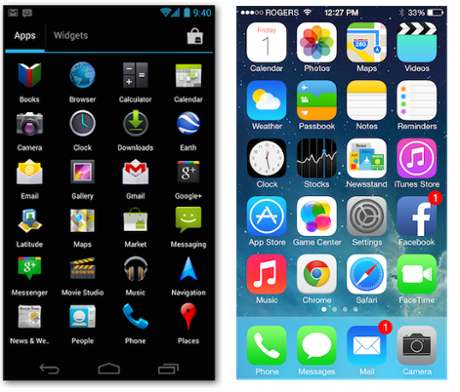
  1. Back navigation – The iOS comes with its unique and quite visible ‘back’ button. It usually appears on top left corner when user navigates one level above. The rectangular box with left side in form of an arrow shows the name of the ‘one-level-below’ folder as label. Tapping on this takes the user to the previous page or to the earlier level. In Android the same effect is achieved by a curved ‘back’ arrow usually appearing on the bottom left corner. In addition it also has a similar top left placed ‘up’ button on action bar where the main app icon is located. So what do these buttons do exactly?

The ‘back’ bottom button navigates to previous screens and continues doing so till it reaches the Android home screen, even it means traversing across multiple apps in the process. In the ‘up’ arrow however, it will go back one level only till the time it reaches the main view / first view of the app.

Next up in the 2nd and concluding part, we continue with some more Android-specific elements that need to be looked into when executing cross-platform app design to achieve a fabulous native Android app experience.

1 – http://thenextweb.com/mobile/2013/10/31/strategy-analytics-android-smartphone-shipments-81-3-q3-2013-ios-13-4-windows-phone-4-1/

Restaurant Digital Menu iPad & Android Tablet App

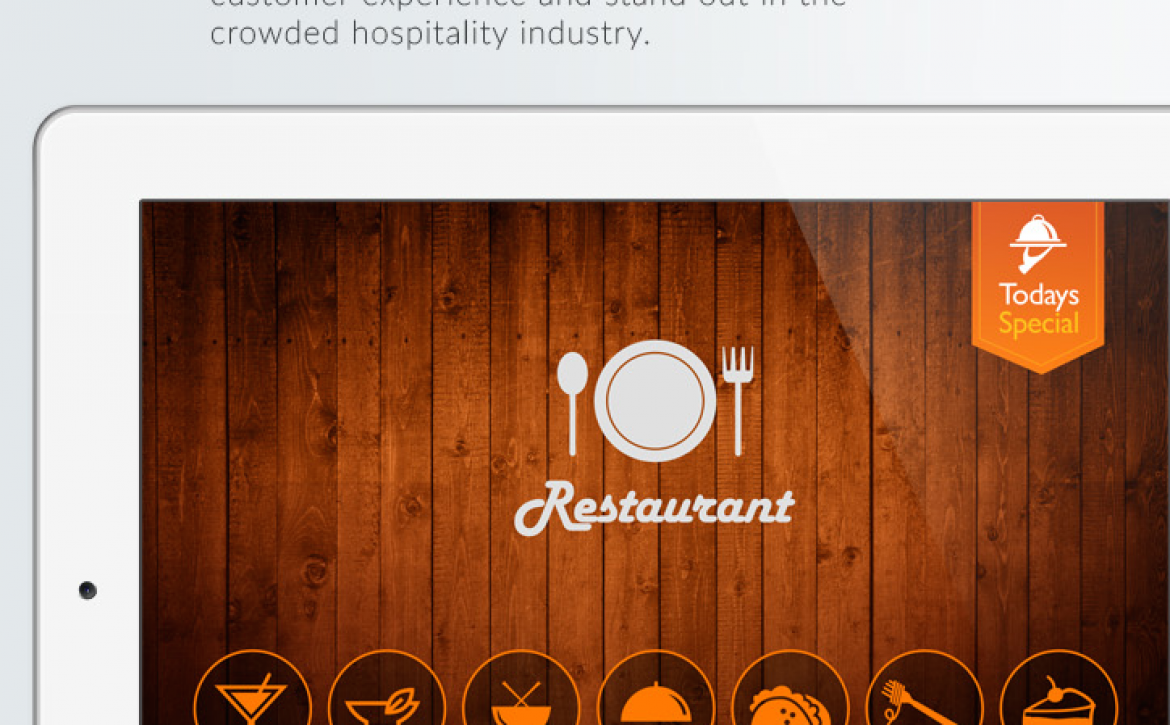
The restaurant digital menu iPad and Android tablet app made for the restaurant and bar owners helps them enhance customer experience and stand out in the crowded hospitality industry.

Charm your customers! Give them a beautiful, easy-to-use, and engaging app to view and order food and beverages sitting in a restaurant.

restaurant-digital-menu-app-goodworklabs

Features –

  • Upload menus and HD pictures
  • Choose from different design styles
  • Clients can browse food items & order instantly
  • Instant communication to the waiters and chefs
  • Highlight today’s special and offers
  • Delight your customer with Do-It-Yourself dishes
  • Collect instant feedback from customers
  • Automatic billing and receipts
  • Analytics and reports
  • Multi language support

Contact us to get more details.

Finbuddy Finance Mobile App


FinBuddy is a next-generation finance mobile app for do-it-yourself investors to make smarter and confident decisions with insights from experts and friends.


How did GoodWorkLabs help Finbuddy build a mobile application?

GoodWorkLabs is a leading mobile app development agency in India, the US, and Europe. They specialise in developing mobile applications that are engaging, scalable, and efficient in solving real-world problems. The team at GoodWorkLabs comes with an experience in using trending and cutting-edge technologies while developing best web and mobile applications. GoodWorkLabs developed a mobile application for Finbuddy to leverage smart investment using insights from experts and friends.

GoodWorkLabs conducted in-depth research to analyze the business, industry functionality, and audience pulse. This helped them build an effective mobile application with all the touch-points for one to take an informed and confident investment decisions. The team at GoodWorkLabs made sure that the details like font, color, visuals, etc are taken care of. They used the best visual design and language to keep the users hooked and easily navigate. GoodWorkLabs developed a simple, easy-to-use, and interactive mobile application for Finbuddy.


What were the salient features of the Finbuddy app? 

  • Simple Portfolio and Stock Analysis – FinBuddy provides you with a simple portfolio score, similar to your credit score, along with the context needed to use it.
  • Personalized Actionable Insights– FinBuddy provides personalized suggestions about what stocks or funds you should consider for, or remove from your portfolio to improve your portfolio score.
  • Tap into your trusted friends and experts– With FinBuddy you can validate your next move with qualified and trusted friends, contacts and experts. What you share, and who you share it with is entirely up to you.


While doing end-to-end mobile app development for Finbuddy, we achieved:

  • Enabled more users to make informed decisions about investments
  • Helped simplify a complicated industry


Services Rendered:

  • UI/UX Design
  • Software Development
  • User Research


Technologies used:

  • Android Native (JAVA)

finbuddy-finance-mobile-app-goodworklabs

Give this awesome app a sign, try Finbuddy finance app today!

Ticket Booking Mobile App – iPhone and Android App

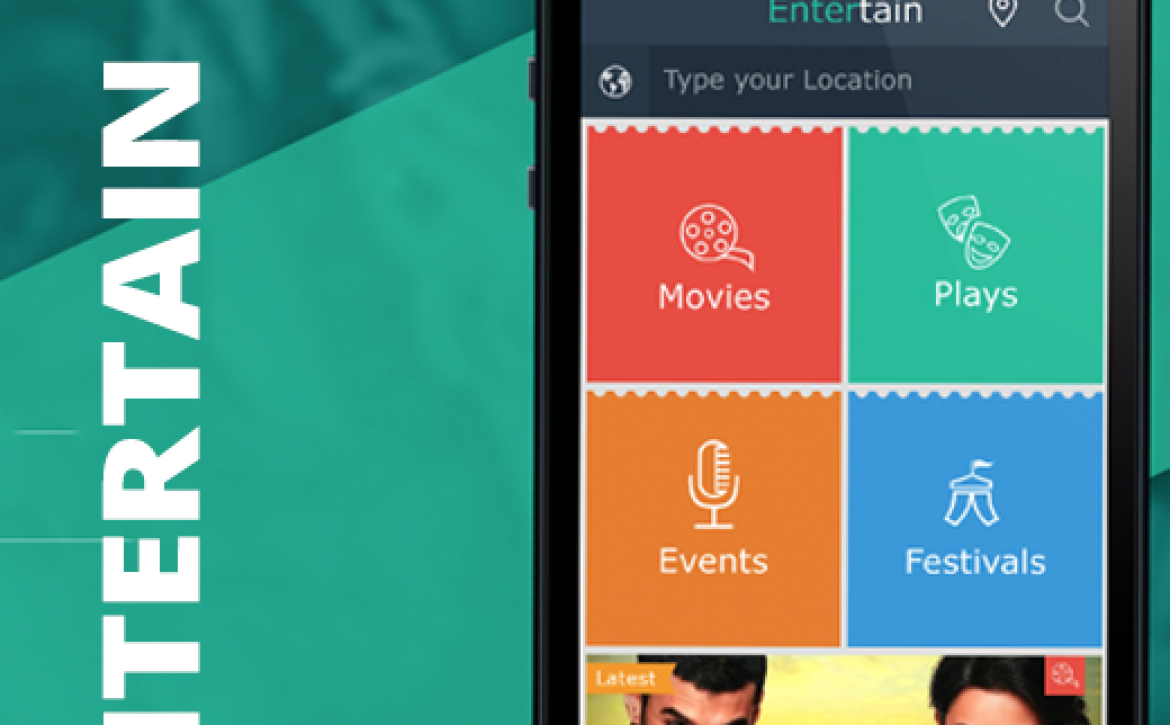
A funky and colourful movie and events ticket booking mobile app concept by GoodWorkLabs.

ticket-booking-mobile-app-goodworklabs

Features –

  • Book tickets for movies, plays, festivals & events
  • Mobile payment options
  • Hot and trending meter
  • Location & event based listing
  • Event details and ratings
  • Select date, seats and book instantly
  • Receive alerts
  • SMS & email confirmations
  • Designed for iOS (iPhone), Android and Windows.

To custom build your events and ticketing mobile apps, contact GoodWorkLabs now and get a FREE quote.

Looking to Bring Down E-commerce Development Costs? Here’s How You Can Do It.

Businesses looking to set up an online shopping portal are often put off by the intimidation of escalating costs at the development stage. While e-commerce portal brings in remarkable results thanks to shifting customer preference and the deep penetration of mobile, the prospect of high development costs is a key reason why most e-commerce sites do not get past the ideating stage. By investing in the best WordPress hosting, e-commerce businesses can optimize performance, reduce unexpected expenses, and improve operational efficiency—all of which contribute to cutting overall development costs.

How to bring down E-commerce Development Cost

If you want to know which are the pain points as regards costs during e-commerce development and ways to circumvent them, then read on…

  1. Hosting – One of the critical elements of e-commerce portal is the space needed to store descriptions, databases, high res images, payment gateway integration, individual integrations and security programming. Many companies face disconnect between the products they have listed on the site versus how much space is required to store them. Most e-commerce stores start small, with a handful of product categories and few seller networks. This calls for smaller hosting space. However, hosting space should not remain constricted but rather be flexible as per the growth of the store. Such smart managing of hosting space will help save a ton on overall development costs.
  1. Strategic Planning before actual development – Both client and developers have been guilty of not putting in enough time and efforts at the planning stage simply to save some time. However the benefit of investing dedicated time into meticulous planning far outweighs the negatives.

As a good developer you would start off with a brief questionnaire to know more about the client and its target audience. Some of the key questions to be answered at the planning stage would include –

1.   Knowing about the customer (e.g.- whether B2B or B2C)?

2.   Knowing about the best way to attract them to the portal

3.   Pointers on heightened customer experience during online shopping

4.   Key add-ons/third party/individual integration to the site

5.   Handling scalability and growth in future

6.   Handling scope creeps or revisions to schedules and estimates

Answers to these will help to decide on an appropriate choice of platform and back-end before you commence with the actual coding. If this starting point seems overwhelming to you, it will be good to hire the e-services of a good consulting firm. The investment and time will definitely help in a streamlined e-commerce portal development process.

  1. Choose the right platform- Each shopping platform has its pros and cons. You need to be aware of what suits your project needs best and then decide on an appropriate platform in order to keep development costs low. For instance, Magneto is a good choice if you need thousands of products to be put up on the shopping portal. However it tends to be very heavy. On the other hand, Shopify provides a hosted platform that guarantees 99% up-time, complete data security and competent tech support.

While Shopify may take a bit more time to customize the storefront, OpenCart provides a lot of flexibility in modifying the look and feel of your digital store. Also when we consider the compatibility and pricing of plug-ins, the open source OpenCart platform offers plug-ins that is around 30-40% cheaper than official Woocommerce plugins. On the flip side however, people have had problems with OpenCart tech support.

Considering above factors will certainly help you keep both costs and time of development in check.

Travel Planner App for iPad & Android

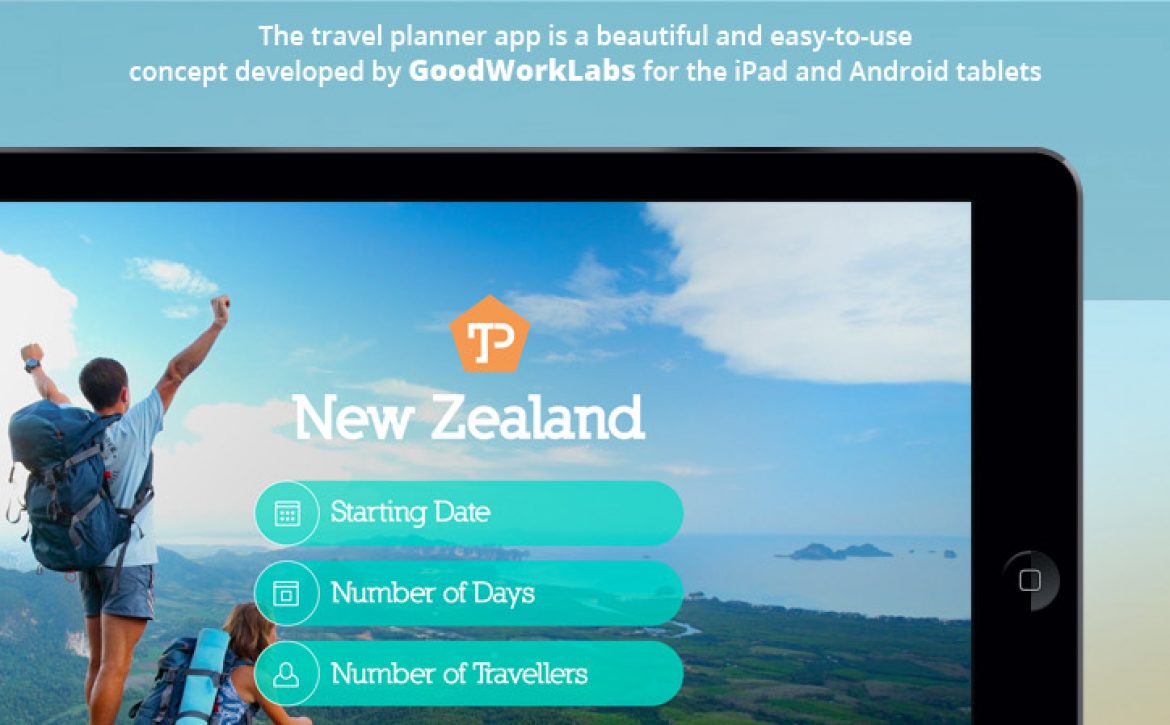
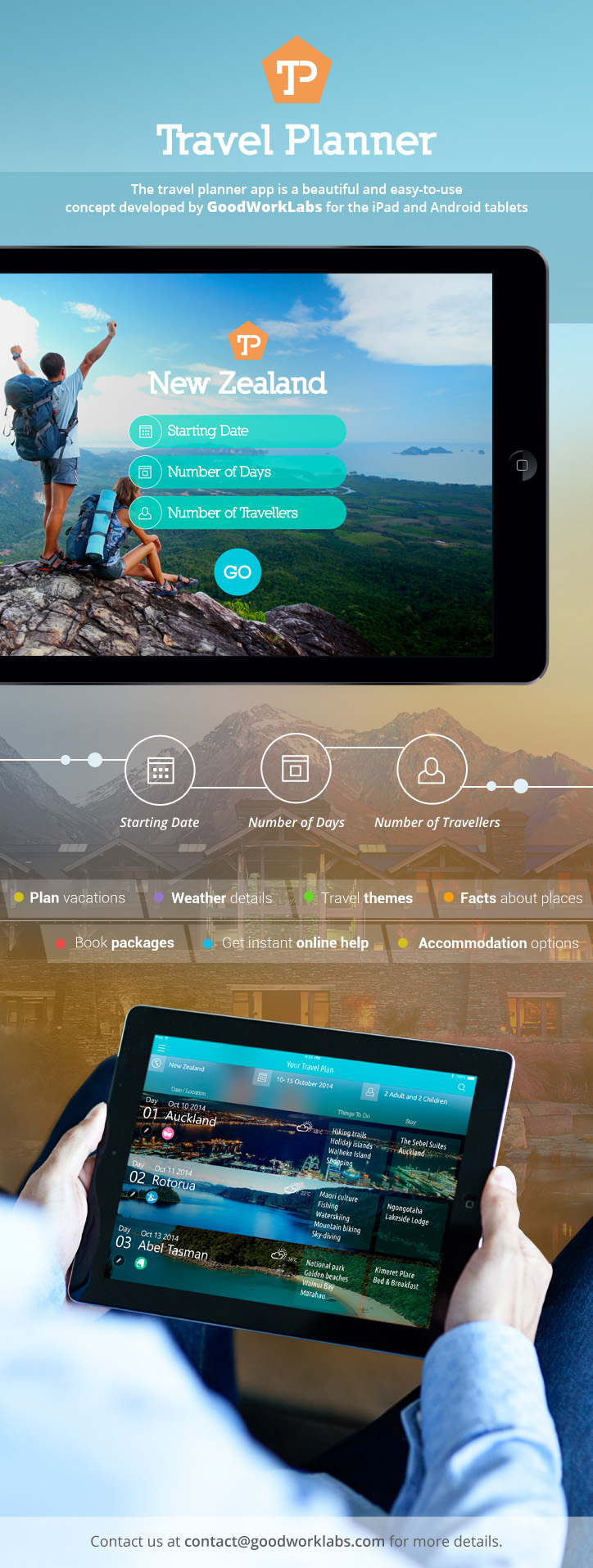
The travel planner app is a beautiful and easy-to-use concept developed by GoodWorkLabs for the iPad and Android tablets.

travel-planner-app-design-ux-ipad-android


Features –

– Travellers can plan their vacations according to their preferences

– Book packages instantly and make payments

– Customisable travel plans along with accommodation options

– Choose from travel themes – honeymoon, adventure, wild life and so on.

– Weather details depending on the travel dates

– Use it anywhere, anytime to know more details of the places you are visiting

– Get online help from travel experts instantly

Contact us for more details.

Top Application Development Frameworks for Android

Android has rapidly scaled up to be one of the foremost mobile device platforms globally, satisfying billions of mobile users and devices, spread over 190 countries. It’s robustness, security and versatility has made it one of the leading mobile operating systems, acting as a home for a countless applications, games and other Android services.

An application framework is essentially a software framework used by developers to implement an application structure. The solid online tech forums and increasing popularity of the platform has spawned many app development frameworks dedicated to Android. In case you are wondering which one to employ for your Android app development needs, then here’s a list of the top app development frameworks just for you:

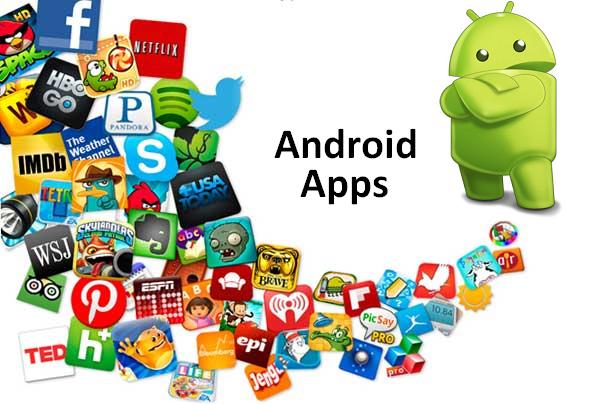
Android Apps

Android Apps


1. Sencha Touch 2:

Sencha, built with CSS, JavaScript, and HTML5, is the first framework of its kind. It hosts fifty built-in constituents, a model view controller system, and state management provisions. Developers and programmers can create top notch applications using dynamic animation systems, combined with a seamless integration with Google Play.

2. DHTMLX Touch:

DHMTLX Touch is an HTML 5 based AJAX and JavaScript library which specializes in developing cross platform mobile device applications which are suitable for smartphones and tablets alike. It boasts of a wide array of UI widgets and elements which come together to deliver fully functional Android mobile apps.

3. iUI:

This iUI framework is famous for its lightweight characteristics. It is made up of a credible CSS support, a comprehensive JavaScript library, and image development. Moreover, there are provisions for caching, theme switching, video making, and support for forms, galleries, lists, and much more.

4. PhoneGap:

This is without one shadow of a doubt, one of the most popular and widely used application development frameworks out there. Its existing functionality of HTML5, CSS, and JavaScript has been further bolstered by the brand stamp of Adobe and Apache.

5. jQuery Mobile:

As the name suggests, this is an HTML 5 based lightweight framework based on the cutting edge jQuery technology. It is tailor made for all Eclipse open-source developers and programmers. It triggers progressive optimization, theme-able designs schemes, and semantic markups.

6. TheAppBuilder:

This is the brainchild of JamPot Technologies, based on the HTML 5 model. It is a boon for swift app developing needs. For app developers, it makes troubleshooting and deployment easier. Its biggest USP is the provision of seamless social network integration. Also, it supports an easy to use drag-and-drop interface.

7. Basic4android:

Anywhere Software Ltd.’s JAVA programming tool has been comprehensively combined with Android’s SDK to forge Basic4android. It takes on a modern take on the exemplary Visual Basic language.

8. Corona SDK:

The influx of high end SDK elements, robust UI support, and a dynamic physics engine has made Corona SDK a priority choice for over 120,000 game developers, as claimed by Corona Labs.

With the advent of mobile and touch technology over the past decade, it would be safe to say that these Android powered mobile devices are taking over the world. Write to us and let us know which one you would prefer for your next Android app development project.

Do get in touch if you need any help in building your Android app. GoodWorkLabs would be happy to assist and give you a free quote for Android app development.

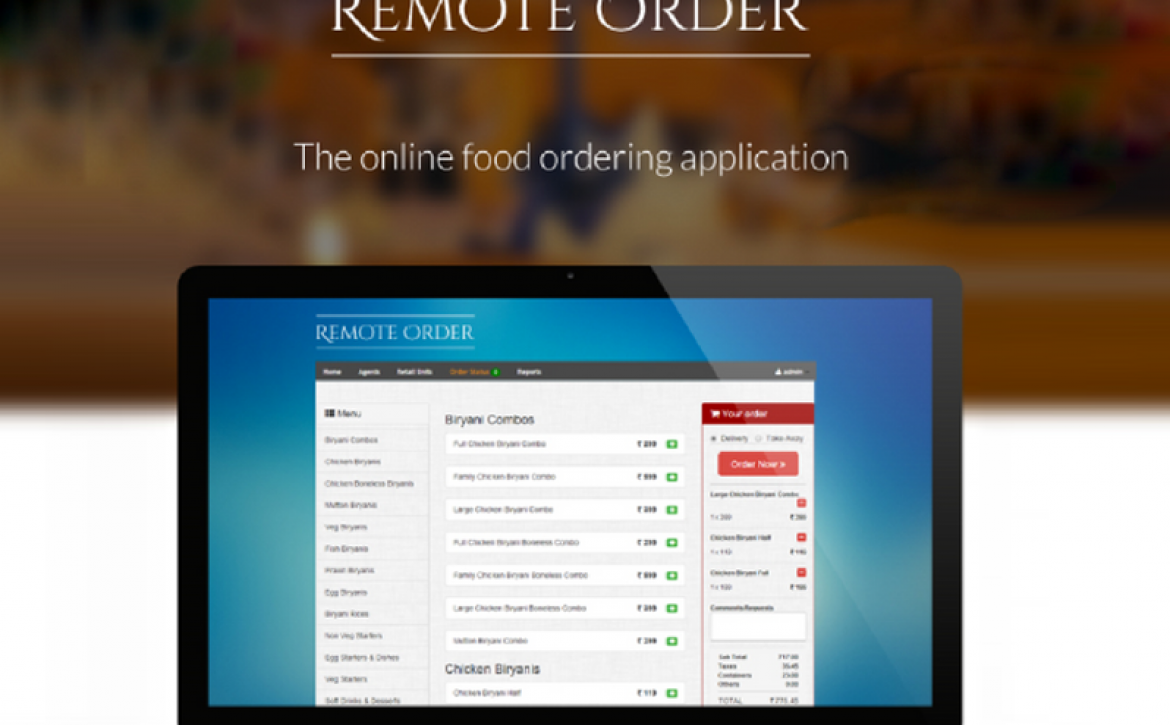
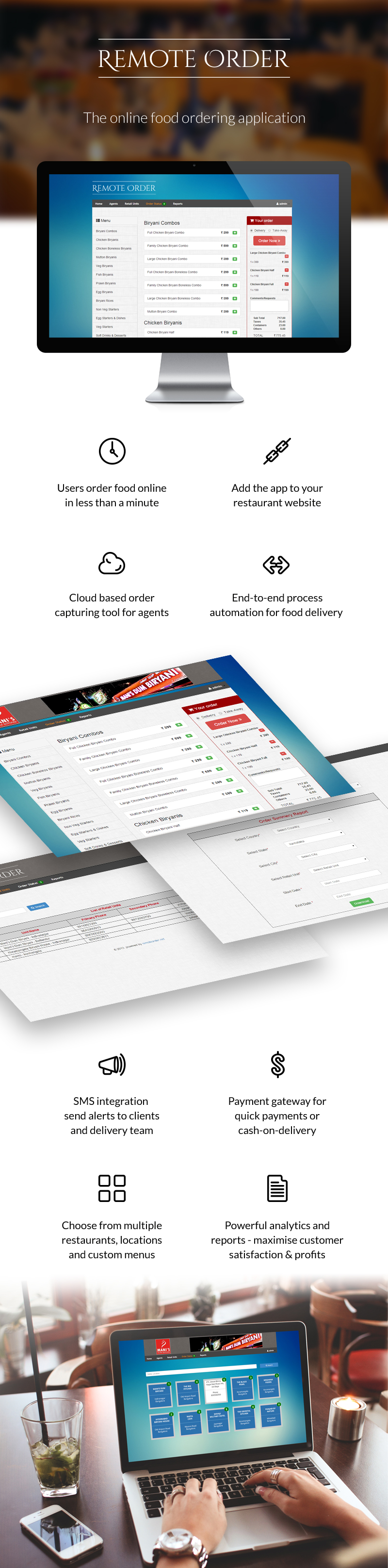
Remote Order: Online Food Ordering Application

The GoodWorkLabs team custom built a simple yet robust automation tool for online food ordering for a popular restaurant chain in India.

online-food-ordering-app-goodworklabs

Features –

  • Users order food online in less than a minute
  • Add the app to your restaurant website
  • Cloud based order capturing tool for agents
  • End-to-end process automation for food delivery
  • Below the screen stack –
  • SMS integration – send alerts to clients and delivery team
  • Payment gateway for quick payments or cash-on-delivery
  • Choose from multiple restaurants, locations and custom menus
  • Powerful analytics and reports – maximise customer satisfaction & profits
  • Backend has a powerful and easy to use ePOS

Technology Stack –

  • PHP –  Version 5.3.10
  •  Apache – Version 2.2.21
  •  Codeigniter framework – Version 2.1.4
  •  PHPExcel 1.7.9 to read the excel sheets
  •  JQuery – Version 1.10.2
  •  Mysql – Version – 5.5.24

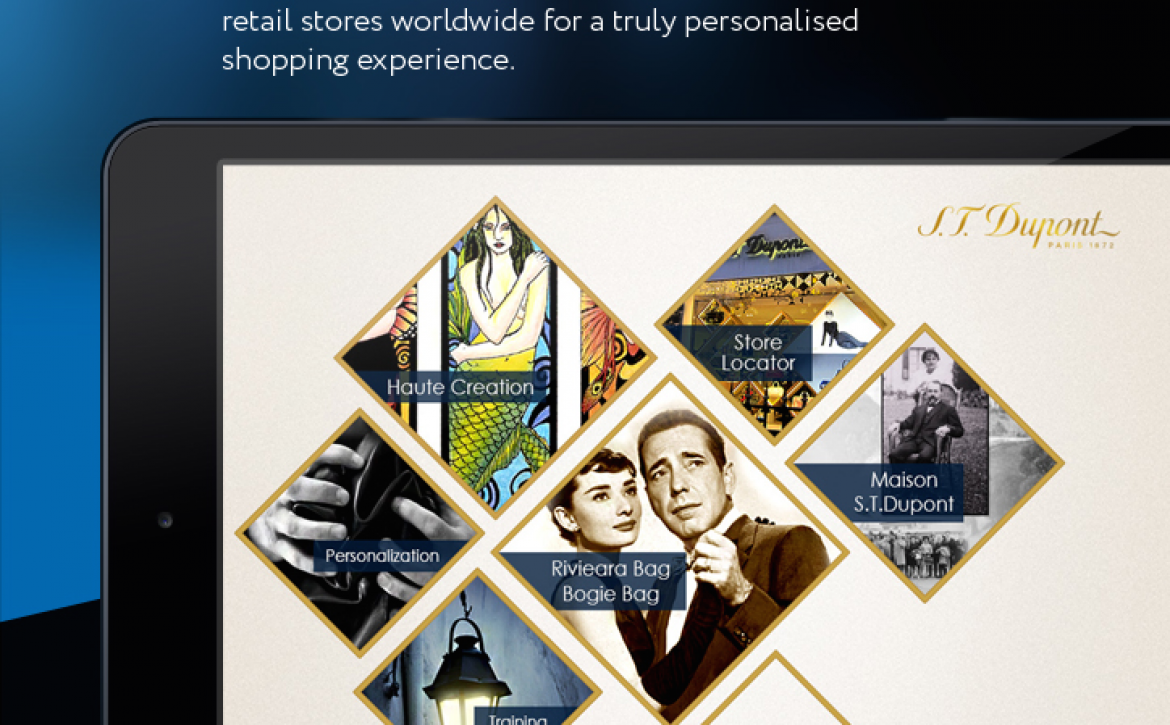
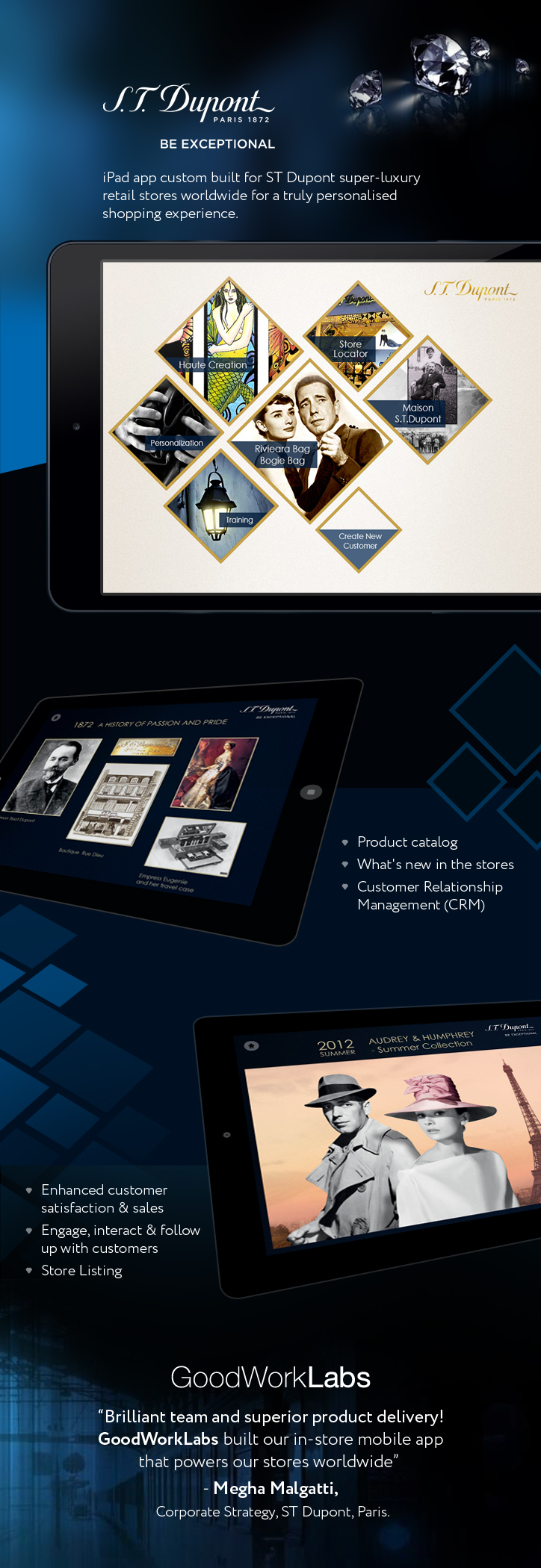
ST Dupont Retail Store iPad App

iPad app custom built for ST Dupont super-luxury retail stores worldwide for a truly personalised shopping experience.

ST-Dupot-iPad-app-GoodWorkLabs


Some of the features –

  • Product catalog
  • What’s new in the stores
  • Customer Relationship Management (CRM)
  • Enhanced customer satisfaction & sales
  • Engage, interact & follow up with customers
  • Store Listing

Appreciation from the client –

“Brilliant team and superior product delivery! GoodWorkLabs built our in-store mobile app that powers our stores worldwide”  – Megha Malgatti, Corporate Strategy, ST Dupont, Paris.


Ready to start building your next technology project?