
Top 5 education apps for Higher Education sector

Higher education apps

Higher education covers an exciting and interesting time in the lives of student- a time full of revelations and intricate learning which lets them excel in their domains of choice. Like other education sectors, the teaching and learning methods of the modern higher education sector have also been duly influenced by new technological innovations and development. Computers and smart devices now enable higher education students and teachers to make use of a whole new set of tools to enhance and enliven the learning experience.

Apps designed especially for use in the education sector have livened things up, and their appropriate use in the higher education sector can significantly improve the rate, quality and longevity of knowledge absorption. Here are a few of the most important education apps meant for use in the higher education sector –

  1. Google Apps for Education – Internet behemoths Google have tailored a suite of web and mobile applications meant for use in the education sector and christened it Google Apps for Education. In essence, this is a collection of Google apps which are tuned for collaborative use. It provides teachers with a means to share and grade assignments on a group basis using the popular Google Docs platform. Accessing daily routines and schedule management can be accomplished via the Google Calendar. Google Story Builder focuses on the writing and expression abilities of student. These well-fashioned tools, accompanied with other important apps, make this a must-use in the higher education sector.
  2. TED – This fascinating app can be a major source of education inspiration for those pursuing higher education. The app combines a large volume of intriguing and thought-provoking lectures, seminars and talks by people who are recognized as world leaders in the field of education, innovation and mastery of their subjects of choice. The entire database is available for users and can be viewed on multiple devices, with subtitle support covering more than 90 languages around the world.
  3. Duolingo – Learning a new language is often a key activity in higher education. With Duolingo, learning a new language becomes easy and intuitive. The app engrosses students with a fun and interesting learning process that involves challenges, real-world scenarios and exciting tests. The multiple exercise types and detailed pronunciation guides keep things interesting, and students have the option of grading their progress on a daily basis.
  4. iTeacherBook – This user-friendly application is a detailed schedule management system for college and university teachers and students. With the clean and navigable interface, teachers can set up multiple classes, post their class schedules online and instantly share it with their students. Course management, lecture management and attendance management are also integrated into the program. Teachers also have the option to set up assignments and manage student grades.
  5. Evernote – This immensely popular note-taking app is a hot favorite among students. It gives them the option to jot down their ideas and keep a record of important information for later use. Used creatively, this can be a fun platform for thought-mapping and help students with their assignments, theses and dissertations.

Do write in your comments if you have been using any of these apps, to share your feedback of its effectiveness in your learning or teaching endeavors.


Best of 2014 – Trends in Mobile Apps

week12a2014 marked a substantial increase in usage, quality and quantity of mobile apps. While app stores for Android and iOS crossed more than a million apps hosted way back in January 2014, it also set a new high in terms of downloads. As of Oct ’14, there were 85 billion downloads in Apple app store1

With games (20.38%), education (10.36%) and business (9.43%)2 forming the top 3 segments of apps available on app stores in September 2014, smartphone user interest has certainly been versatile. The downloads came from a large swathe of industries and niches including publishing, games, entertainment, music, stores, utility, enterprise and others. Since the birth of smartphones, apps have not only been attracting extensive investment from marketers of all forms but also converting it into billions of dollars as revenues. This trend is only set to grow further, and the onslaught of several startups is only going to fuel the practice. Now that we are well into 2015, here’s looking back at the best trends set in the app market.

Growth of messaging apps

From WeChat (438 million users in Nov ‘14) to Facebook Messenger (200 million) and several players like Viber (105 million), Line (170 million), and KakaoTalk (50 million), messaging apps have seen a massive increase led by WhatsApp (600 million)3. Smartphone users have been found to set a clear division between communicating through a social network (Facebook messenger) and exclusive messaging apps. However, messaging apps of today aren’t just limited to texts and picture messages. Today, to send a video instantly, one needn’t create and send an MMS. It can be easily done over platforms like Lettrs and Cyber Dust and more importantly in a bare minimum of data usage. Messaging apps are also integrating music, shopping and even games to make the interface much more entertaining and engaging.

Educational apps

There has been a substantial rise in the number of educational apps in 2014. Tablets and smartphones are proving to be a great means of information exchange and spreading awareness. In some schools in California, iPads have been included in the school kit to create better access to education and syllabuses. This certainly is a great moment for developers as their designs are directly helping create a better society and not just entertaining kids (games).

Enterprise apps

Some of the most innovative apps brought into the stores have been developed by companies, to be used by their staff. Enterprise apps have been able to break the barrier and create remote collaborations and easier team building. Taking a closer look, enterprise apps like HP Flow CM, Worx Home, IBM Worklight and Quip have been able to bring about a change in the way companies and entrepreneurs do business.

Free gaming

Gaming has always been a much wanted accessory with mobile device. However, since the launch of smartphones, gaming has gained much prominence among users. 2014 has seen a rise in constructive and free-to-use gaming apps with popular titles like Candy Crush Saga, Lumosity, The New York Times Crossword and Angry Birds.

Internet of things

The most talked about titles in the app world come from the wearable apps, including Google Glass and Smart Watches. While there is a lot of technological challenge involved in this category, they seem to be the hottest topics in the Android and iOS marketplaces.

Stepping into 2015, we can only say that the app industry will continue to spread its wings and we certainly can expect to be impressed.

1- http://www.statista.com/statistics/263794/number-of-downloads-from-the-apple-app-store/
2 – http://www.statista.com/statistics/270291/popular-categories-in-the-app-store/
3 – http://was-gb.wascdn.net/wp-content/uploads/2014/11/Slide41.png

Get These 5 Skills to Adapt to the Next Technology Revolution – Internet of Things

Internet of Things

Internet of Things

After Internet and Big Data, the world is on the verge of another computing revolution. This new wave of technological crest is brought about by a unique confluence of shifts in user choices of accessing technology and innovations that expand these choices available to the user. The result is a massive shit in interactive technology as we know it today. This will mainly be centered round the concept known as ‘Internet of Things’ or IoT.

There will be a wide web of connectivity between humans, object, other animals and machines under this scheme of things. Man will communicate with his car, a housewife can communicate with her refrigerator or washing machine from a significant geographical distance, or more effectively, entire systems talking to other systems. With an estimated market value of $1.8 trillion globally yielded by Internet of Things in next five years (as per Gartner), it is necessary to develop apt skills that help you succeed as a developer, project manager or business manager.  It is sure to overshadow every new form of technology we have seen and heard of.

What does this mean for you?

As a developer, a career student or as technology professional, you need to see how you can make these disruptions work to your own advantage. For instance if you are a student, you need to assess your situation in light of the upcoming boom by IoT and decide how you can make yourself employable. The five skills are pertinent to successfully lead to fruition of innovative thinking and include the below pointers –

  1. Thinker who can connect the dots – A thinker who can associate the benefits or challenges of one system and connect it to another system by way of service or benefit can have a good potential to succeed in this inter-connected world. For instance a watch and healthcare are two distinct and unrelated domains. But when they come together like the smartwatch or wearable technology from Samsung, they can help monitor your heartbeat, or relay your location.
  2. Collaborator – This set of skills help you in bringing together people from diverse fields of expertise and strategies to help solve a complex problem – a vital trait for inter connectivity across traditionally unrelated systems.
  3. Communicator  – This allows people to bring the design and proposed solution construct to life, through diagrams, images, videos, graphs, theories or stories
  4. Knowledge resource – This skill helps you gain a deep level of knowledge that helps you sees things the way not many people can see.
  5. Persistence – This skillset help people to persevere till they reach their objective. Being a new field, there will be obstacles bound to be there at every step of the way. Only dogged determination can help set the tone for this impactful global technological shift through IoT.

So, while specialist research firm Gartner predicts as many as 25+ billion devices connected by Internet of Things, there is a need for specific skills to drive the interaction and integration of these device with us, the people.  Hope these pointers provide a clear roadmap of the skills that will be needed to succeed when the Internet of Things blooms to touch millions of lives in the near future.

LetEmbrace responsive website & CMS

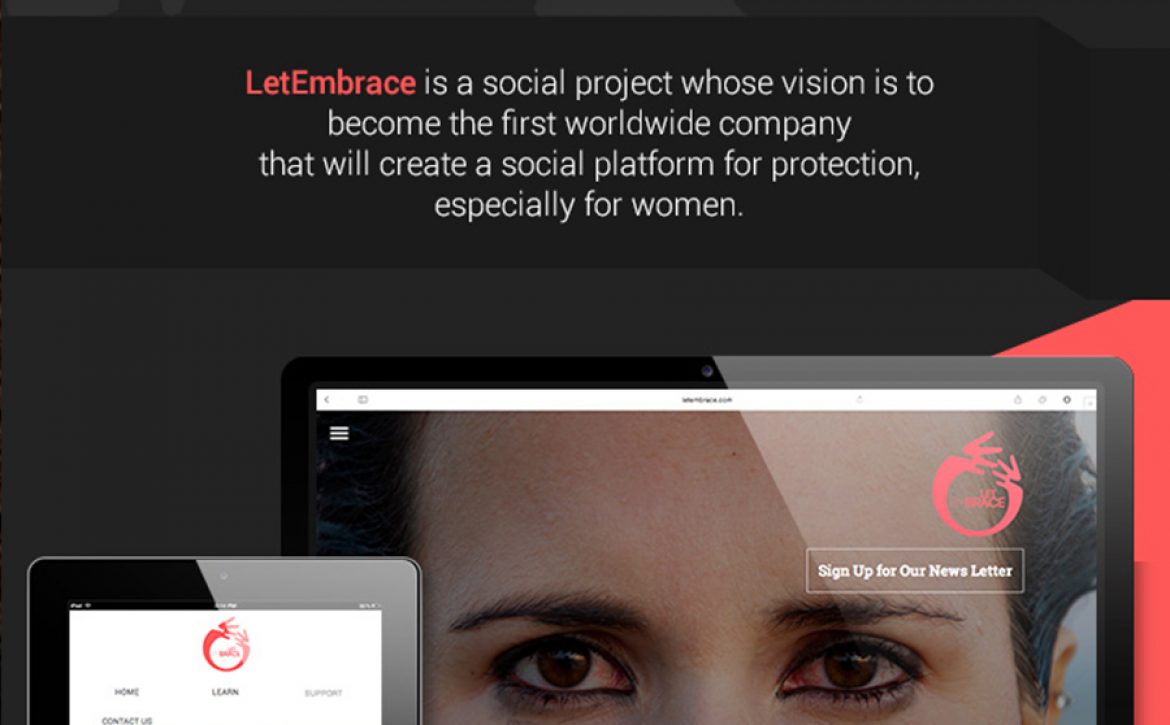
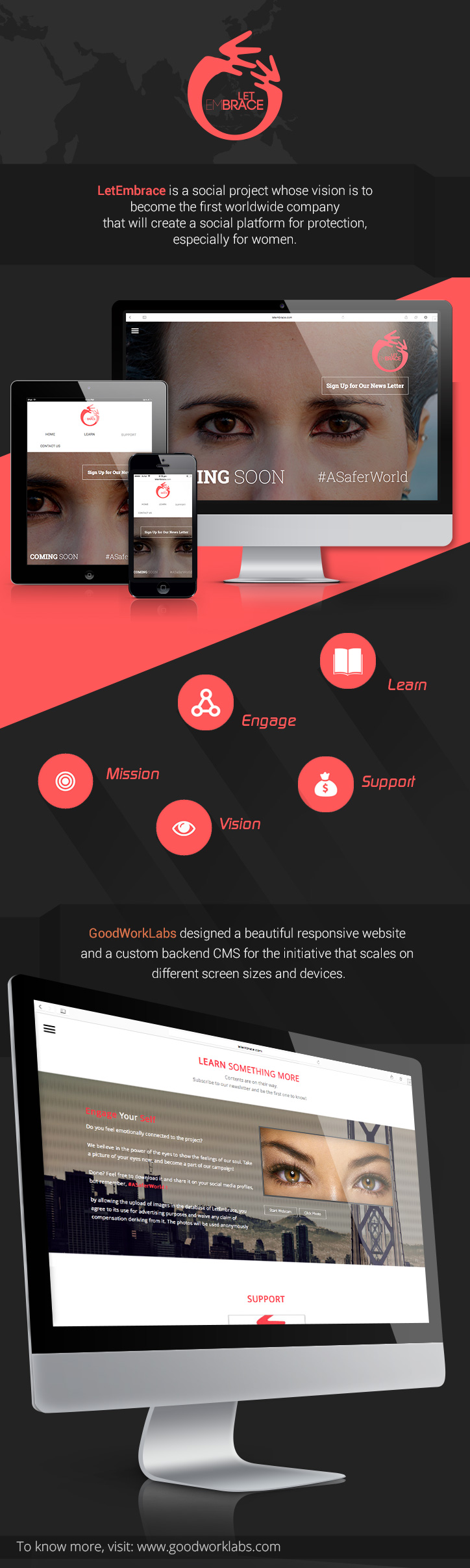
LetEmbrace is a social project whose vision is to become the first worldwide company that will create a social platform for protection, especially for women. GoodWorkLabs designed a beautiful responsive website and a custom backend CMS for the initiative that scales on different screen sizes and devices. Visit LetEmbrace website and support the cause.

letembrace-responsive-website-goodworklabs


Contact GoodWorkLabs to build your custom responsive website and CMS.

Chat Mobile Application – UX Design

ChatterBox is a cool new chat application concept for iOS and Android designed by GoodWorkLabs. It is a customisable theme that you can be used to suit your chat app requirements, be it integrating into your existing mobile app or creating a stand alone chat mobile app.


chat-mobile-app-design-iphone-android-goodworklabs


Here are the key features –

1. Sign up / Sign in with phone number

2. Invite friends / contacts to chat. Block users if required.

3. Profile picture, settings, get push notifications

4. Create group and have group conversations

5. Contacts – search quickly, add new, see recent conversations

6. Status – update status and broadcast

7. Share pictures, video, audio – with just few taps

8. Stickers – select cool stickers and add a dash of fun to your conversations

9. Settings – manage notifications depending on the group, contact, etc.

Contact GoodWorkLabs to create your custom chat application.

Vishwas Mudagal covered in CII Communique October 2014

Vishwas Mudagal, CEO of GoodWorkLabs, was covered in CII Communique – October edition.

Here are the excerpts.

“Yi Guwahati organised an interactive session with Mr Vishwas Mudagal, CEO & Co-founder, GoodWorkLabs on youth entrepreneurship, on 5 September.

Mr. Mudagal also spoke about his book ‘Losing My Religion’ for young enthusiastic individuals who wish to become entrepreneurs.

Ms. Dipannita Jaiswal, MD, Bahmaputra Teleproductions siad that entrepreneurship has a key role in the growth of the country as it creates job opportunities and encourages innovation”

Read the entire communique here.

CII_communique1


CII_communique-2

Five error tracking tools for Java

Java has gained substantial traction as a holistic development ecosystem over the last few years. With this level of adoption and popularity comes the need for better development tools. Changing user preferences, better business viability for Java and increased market demand means the need for faster development. In order to cope better with the fast turnaround, it is critical to have the right testing tools so that none of the errors are skipped through in the fast paced development environment.

Java

Here is a rundown of some of the best error tracking tools for Java

1. Takipi – Unlike other testing tools, Takipi can scan multiple methods, modules and machines. It then reports when a production code has encountered an error break and the reason for the same.
Some key characteristics –
a. It handles caught and uncaught exceptions, as well as HTTP and logged errors
b. You can also get to know if the error is a new or edited code or if it is a recurring issue
c. It has the ability to overlay error in variable state over actual program
http://www.takipi.com

2. Stack Hunter – It allows developers to track exceptions on a self-hosted platform. They can now know about exceptions as soon as they happen in a well laid out centralized location.
Some key characteristics –
a. It provides a standalone, self-hosted, web-based interface for exception and error tracking
b. It collates and shows critical metrics such as user affected and session affected exceptions in addition to overall listing of exceptions
c. It also groups different exception by root cause thus allowing for batch-wise resolution
http://stackhunter.com

3. Raygun – App exception tracking is made convenient with help of Raygun, a simple web based tool for tracking and managing errors on desktop, web or mobile app development languages. It also facilitates error handling through APIs.
Some key characteristics –
a. Allows text search of error groups and individual exceptions
b. Facilitates third party integration with GitHub, Gira and HipChat
c. All occurrences of error is presented within groups with access to all instances and methods including stack trace.
https://raygun.io

4. Sentry – With a web interface, this open source tool helps in real-time error tracking, grouping and simplified error management. It helps gauge uncaught errors based on impact and recurrence to help priority based resolution.
Some key characteristics –
a. Developers get to see how new deployment impacts the overall project in real time
b. Great for payment and financial transactions with its alerts on high number of failures in purchase or authentication
c. Facilitates easy integration with third party applications such as GitHub and Heroku
http://getsentry.com

5. Airbrake – Developed by Rackspace, the tool provides application specific view over the web for easy error handling and management. If you use Ruby, Java or PHP, then this tool is meant only for you.
Some key characteristics –
a. Detailed grouping by parameters such as user type, error type, and environment variables
b. Facilitates greater team collaboration by knowing who is causing the error in which module of the project.
https://airbrake.io

Hope these tools help you in successful and timely deployment of your Java application. Write in to us and let us know if you had experience in any of these.

Food Discovery & Delivery Mobile App

Delicious is a beautiful, easy-to-use and unbelievably useful restaurant finder mobile app, which also lets you order food just with a few taps of your finger. The app can be used to find restaurant reviews, ratings, menus, prices, cuisines and the most happening places in your city.

food-discovery-delivery-mobile-app-goodworklabs

Features –

1. Find restaurants in your area or search

2. Get restaurant listing, ratings, location info

3. See what’s trending

4. Browse through food and beverages menus and prices

5. Place your order and check out

6. Make instant payment or choose cash on delivery

7. Get SMS and/or email to get order confirmation

8. Rate or review a particular restaurant or bar

9. See where your network is dining and what are their favourite hangouts

To create a restaurant app or food delivery app, contact GoodWorkLabs – the leader in high-end mobile app and product development.

Which is the best payment gateway for your e-commerce site?

You must have encountered multiple instances of swiping your card at a store to conclude your purchase. Now imagine this scenario in an online world. What changes here is that payment gateway replaces the credit card transaction setup. While the end user sees a seamless movement from shopping cart to the bank and back to the shopping site, what actually happens is, a series of complex actions that allow this seamless transition and successful payment made. This is enabled by payment gateways that bridge the gap between the customer, the merchant and the financial institution/ bank. All this while it also keeps a tab on the security of the extremely confidential credit card/ net banking information that passes through different channels.

Payment Gateway for e-commerce

With our experience in designing highly functional e-commerce solutions, today we present a few types of payment gateways and its workflow.

1. Hosted payment gateways – this takes the customer out of merchant site to payment service provider (PSP) site. Once the payment is done, the customer will be re-directed to the merchant site.

Pros –

a. Card and financial details are kept secure at PSP end

b. Merchant simply worries about core operations and leaves all security and integrity responsibilities to the PSP

c. Merchant logo and design can be added on PSP site for providing confidence to customer

Cons – An end-to-end experience is missing as the customer has to leave merchant site during the checkout.

Example sites – Paypal Standard, Setcom, Payza

2. Self-hosted payment gateways – Here the customer has to provide details on merchant site itself. The site then routes the data to PSP for further processing.

Pros – Total customization of the look and feel of the page for consistent user experience.

Cons – It is the merchant’s responsibility to maintain the security and confidentiality of the customer details. He will also need to maintain the PCI DSS protocols.

Example sites – Authorize.net ARP, Paypal Pro payment

3. API based non-hosted gateways – In this one, the merchant has full control over the payment process. Right from cart checkout, card authentication, payment details and payment confirmation, everything is carried out on merchant site itself

Pros –

a. The merchant has full control over the checkout process and this gives his customers more confidence to shop with complete peace of mind.

b. By using an API, the merchant can expand the coverage of the payment gateway to other devices such as smartphones and tablets

Cons – The merchant is solely responsible for the security of the transaction. He may have to invest in additional SSL certificates for enhanced security.

Example sites – Braintree, Authorize.net CIM, Stripe

4. Platform based payment gateway – This type of gateway provides a medium to sell goods online directly from their own server. When customer surfs online for a product it is done on the merchant site, but when it the transaction reaches checkout stage, it is re-directed to the payment gateway site.

Pros – Customer can view local language and currency, which in turn, improves overall customer experience

Cons – Offers limited customizability as it is a totally separate platform from the merchant site

Write in to us and leave us a word on which payment gateway do you employ in your e-commerce website.

E-commerce Shopping Mobile App – iOS/ Android

Coupon Shopping App is a refreshing new design concept created by GoodWorkLabs to assist clients to quickly get up and running with their e-commerce / m-commerce mobile apps by customising it according to their needs. Available on iOS and Android.

Shopping-ecommerce-mobile-app-goodworklabs

Key Features mentioned below –

  1. Customer account
  2. Offers, discounts, promotions
  3. Categories
  4. Catalog pages
  5. Product detail pages
  6. Shopping cart
  7. Wishlists / favourites
  8. New arrivals and other classification of products
  9. Payment process
    • User account
    • Shipping address
    • Delivery options
    • Payment gateway
    • Coupons / Gift vouchers / Promo codes
  10. Order tracking
  11. Contact details for customer support

GoodWorkLabs specialises in designing, building, maintaining and scaling e-commerce /m-commerce websites and mobile apps. Contact us today for a free quote and consultation to start your e-commerce business.

Ready to start building your next technology project?